A Detour from Tax Bots: Building a Boutique Storefront in Six Hours
Most days I'm building tax-automation agents. Over the weekend I forked Shopify Dawn, custom-coded a boutique storefront, and shipped it live in six hours. Here's what's under the hood — shadow-DOM admin automation, viewport-stable hero crops, and why custom-coded themes age better than page-builder ones.
Most days, I’m teaching machines how to politely refuse GST portal captchas. Over the weekend, on a quiet Sunday, I built a dress shop instead — start to finish, in six hours.
A small ethnic-wear boutique had hit a wall every Instagram-grown brand eventually hits. Fifty-two thousand followers. Exquisite handwork on every piece. And still taking orders the way they did at two hundred followers: DMs, screenshots, “ma’am please share size?”, manual UPI links, “courier all-India?”. Discovery worked beautifully. Conversion was held together with prayers and voice notes.
They needed a storefront. Not a “page builder dragged together over a weekend” storefront — an actual one. Something that respected the work in the clothes.
One Sunday. Six hours. Go.
The Brief, Compressed
- A premium-feeling Shopify store the brand could grow into for years
- Editorial typography, a calm three-color palette, no Canva-template energy
- Real product structure (variants, sizes, smart collections, returns policy)
- Live, on a custom-domain-ready theme, ready to take orders Monday
The pretty part is what people see. The interesting part is everything underneath.
What “Custom Theme” Actually Means
I forked Shopify’s Dawn theme and rewrote the type system, color tokens, button styling, header, hero, and product cards in Liquid + CSS. No drag-and-drop builder. The whole thing lives in a git repo, deploys via the Shopify CLI, and is version-controlled like real software — because it is real software.
Why bother? Because page-builder sites all start to look like page-builder sites by month three. The owner can never quite get the spacing right, every “edit” introduces inline styles, and six months later you can’t tell the brand apart from the next one over. Custom-coded themes age the way you want them to: editable in the admin where it should be editable, locked down in code where it shouldn’t be.
The Hard Parts (the fun parts)
The product card aspect ratio. Three products imported via CSV, three different native image proportions: 9:16, 9:16, 3:4. Result on the collection page: two tall cards and one stubby one, breaking the grid. Fix: changed the theme template’s image_ratio from adapt to portrait, locking every product card to the same crop regardless of source image. Small change, instantly looks like a real boutique.
Automating the Shopify admin from outside. Shopify’s admin UI uses web components inside shadow DOM (<s-internal-button> and friends). Standard automation tools can’t see into shadow roots. Solution: a recursive shadow-DOM walker that descends every nested root, finds the actual button by its label text, and clicks the underlying native element. Took twenty minutes to figure out, saved an hour of clicking through product imports and image attachments.
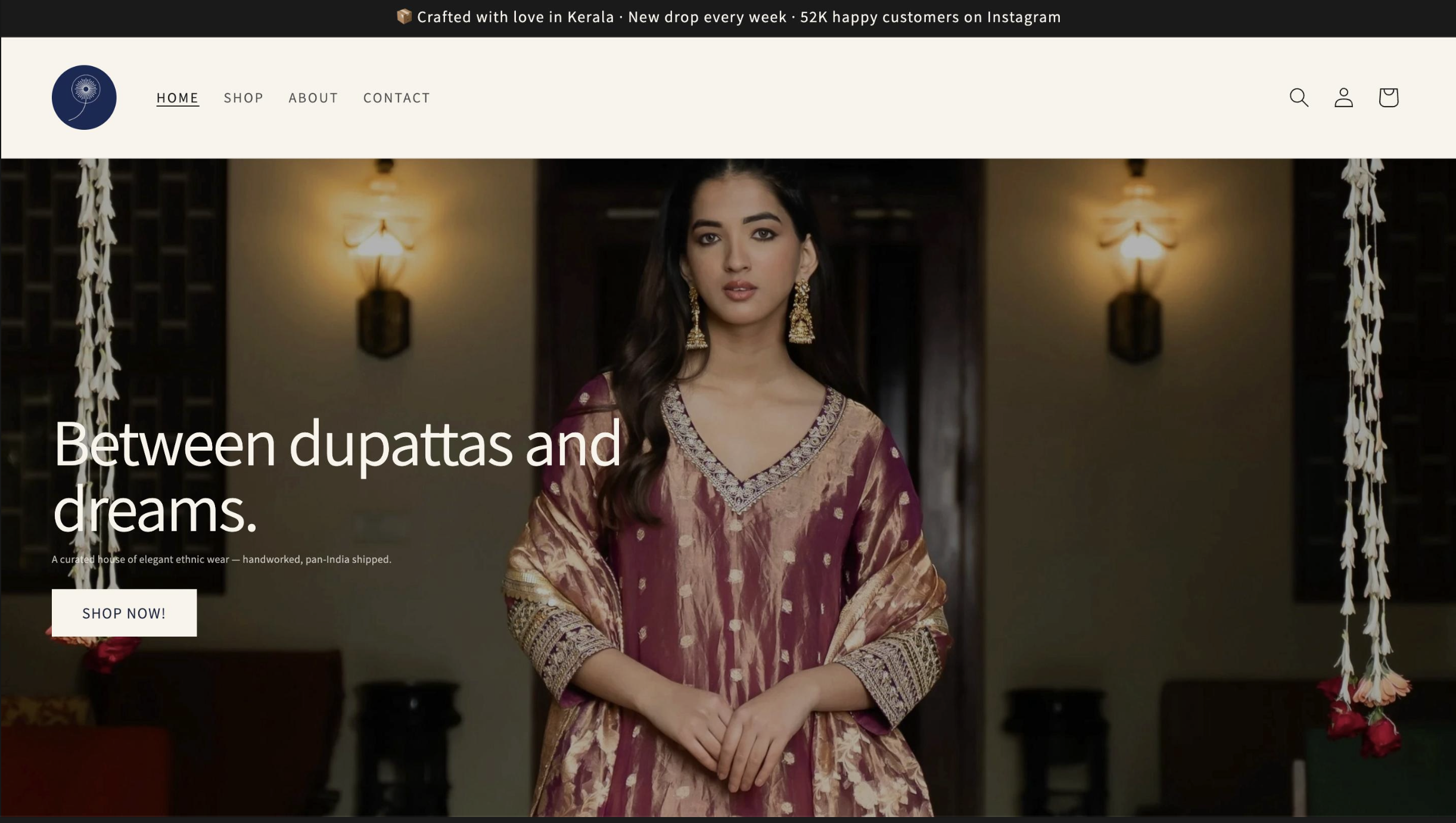
The hero image. Client wanted a striking single-photograph hero — a model in a maroon-and-gold Anarkali, archway behind her. Easy in theory. In practice, browsers crop differently at every viewport width, so an image that looks editorial on a 27” monitor shows only the model’s legs on a laptop. Fix: extended Dawn’s image-banner section schema with a custom asset-based image renderer, then sized the banner using height: 50vw instead of a fixed pixel height. The crop now scales with the viewport — face softly visible at every width, dress always dominant. Five iterations on the focal point with the client over text. Good design is rarely first-try.
The theme deploy gotcha. First push went to a development theme — invisible to the public. Live store was still showing Shopify’s default. Fix: shopify theme push --unpublished followed by shopify theme publish --force. The kind of thing every Shopify dev learns once and never forgets.
Why This Was Fun
Most of my work right now is in tax automation — building agents that file GSTR-1s and 3Bs at 2 AM so chartered accountants can sleep. It’s deeply rewarding work, and it’s all backend: API calls, OCR pipelines, state machines, idempotency keys. Things that work in the dark.
A boutique storefront is the opposite. Every decision is visible. Type weight, button hover, the exact percentage of the hero image that should be a model’s face vs the hem of her dress. You finish a button hover state and you can see it. You change one CSS variable and the whole site shifts mood. Frontend is the only kind of programming where the work has a face.
It was nice to spend a Sunday remembering that.
What the Store Actually Has
- Custom-coded theme with editorial typography (Instrument Serif + Geist) and a calm three-color palette
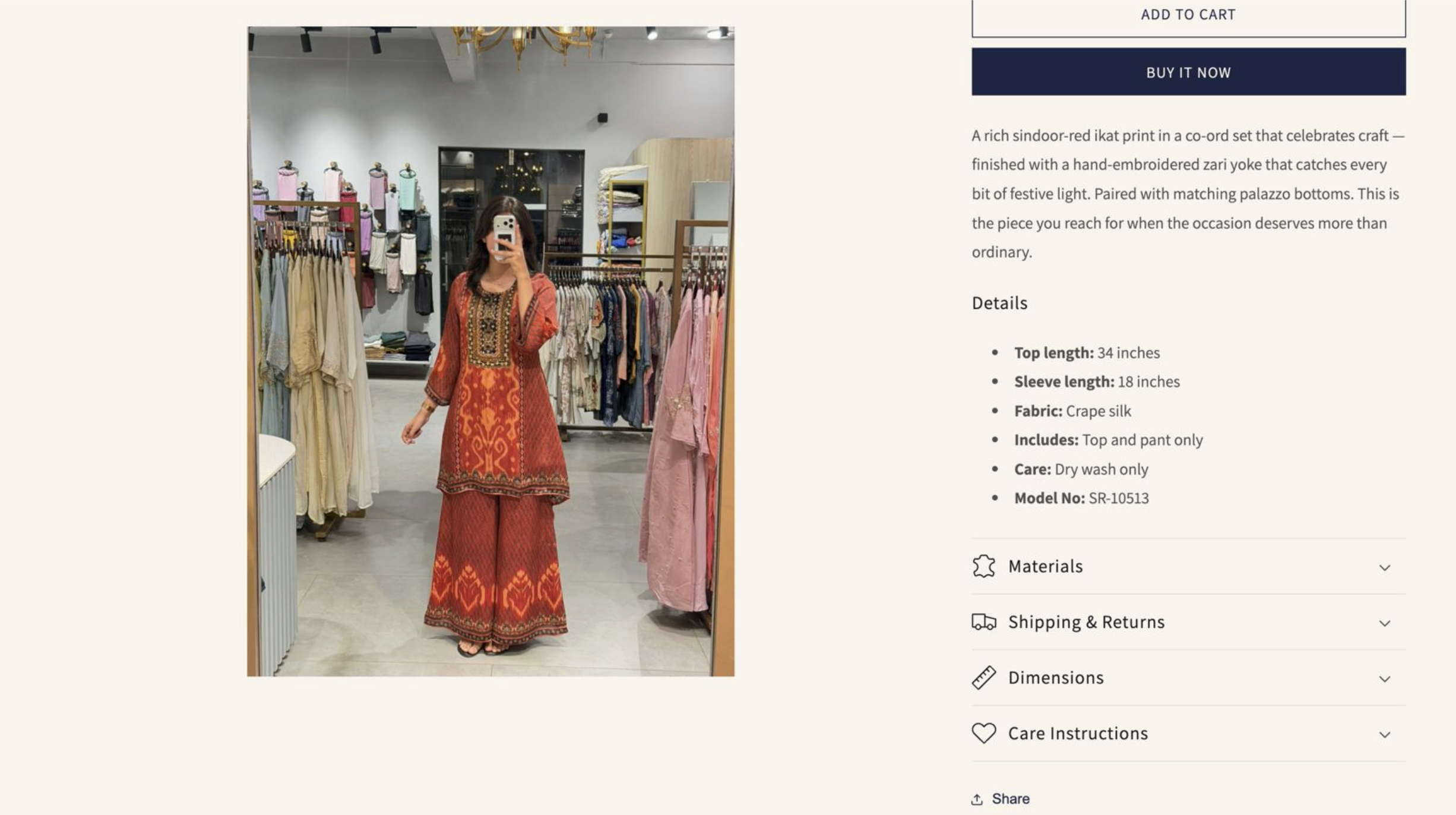
- A full product catalogue with size/colour variants and structured detail blocks
- Auto-populating smart collections — new arrivals organise themselves as they’re tagged
- Hero, brand story, lookbook, and reviews sections wired and styled
- Returns and shipping policies that actually comply with India’s Consumer Protection (E-Commerce) Rules 2020
- Deploy pipeline via Shopify CLI — owner can hand off content edits, dev work stays in git
Shipped in six hours, including the back-and-forth on the hero crop.
The Soft Pitch
If you’re an SMB owner who’s been told “you need a website” and is now drowning in Shopify themes, Squarespace templates, and quotes from agencies that want ₹3L for a Wix site — there is a third option. Custom-coded, fast, owned by you, designed for your brand specifically, deployed live in a single weekend.
I do this end-to-end. Frontend, backend, integrations, deploys, the boring parts (taxes, shipping zones, payment gateways, GST invoice formats), and the fun parts (typography, hero crops, the way a button feels when you hover it).
If you’ve got a brand that’s outgrown DMs and screenshots, I’d love to hear about it.
Got work a robot should be doing?
I build agentic systems, tax-automation bots and websites for founders, operators and CA firms. If a workflow is eating your team's week, let's fix it.
[ WORK WITH ME → ]